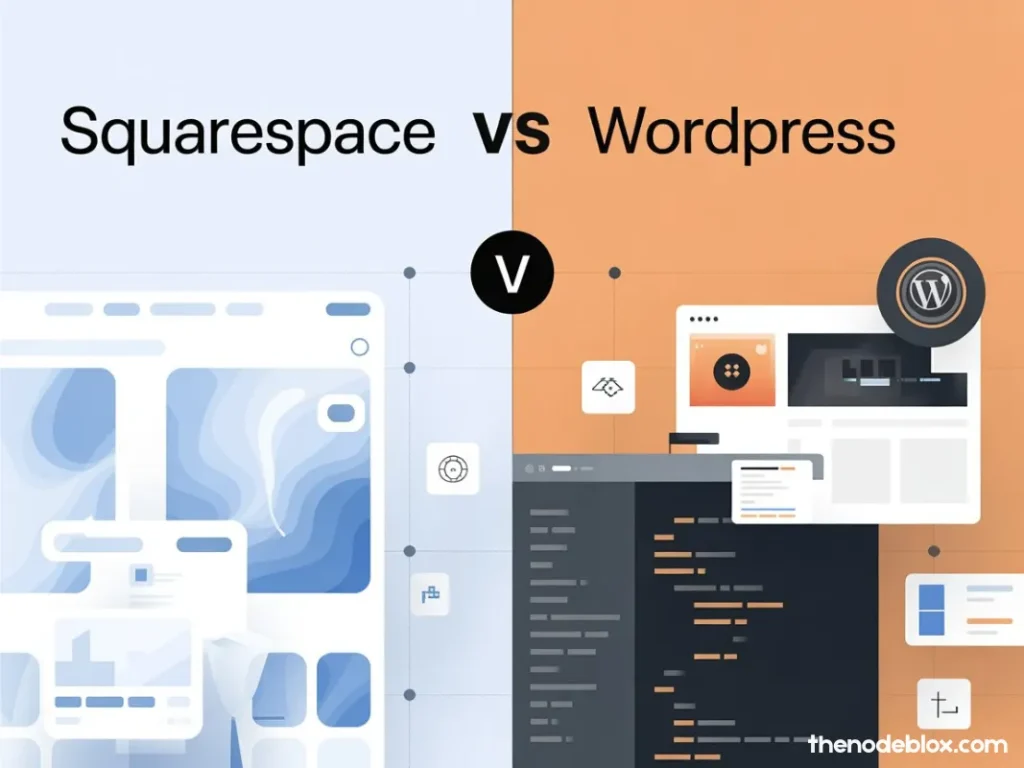
If you’re building (or rebuilding) a site in Sterling, VA or anywhere in Northern Virginia, “Squarespace vs WordPress” is a smart question, not a nerdy one. Your website isn’t just a brochure anymore. It’s your lead engine, your credibility check, and often the first “sales call” people have with your business.
Here’s the truth: Squarespace and WordPress can both work. But they win in different situations. If you pick the wrong one, you’ll feel it later in the form of slow pages, messy edits, limited SEO growth, or paying for rebuilds you didn’t plan for.
I’m going to break this down like I would for a real client at The Node Blox (Sterling, VA, serving the DMV): no hype, no weird “one platform is always best,” and no fluffy filler. Just the practical comparison, plus what actually matters if you want leads and local rankings.
Quick verdict: Squarespace vs WordPress in one minute
Choose Squarespace if:
- You want a clean site fast, with minimal setup headaches
- You don’t want to manage hosting, updates, or plugin decisions
- Your site is mostly marketing pages (services, about, contact, portfolio)
- You’re okay with “great enough” customization, not limitless customization
Choose WordPress if:
- You want full control over design, structure, SEO, and growth
- You need advanced features (custom calculators, portals, integrations, custom forms, multi-location SEO structure)
- You want serious content scaling (blogs, topic clusters, programmatic local pages, landing pages for ads)
- You’re building a long-term asset and you want flexibility
And yes, WordPress can be a mess if it’s built poorly. But a good WordPress build is hard to beat.
Squarespace vs WordPress: the real comparison that matters
1) Setup and speed to launch
Squarespace is the “move-in ready apartment.” You pick a layout, add content, publish. That’s why a lot of small businesses love it.
WordPress is the “build or renovate a house.” You can make it exactly what you want, but you have decisions: hosting, theme, plugins, performance, security, forms, backups, and more.
Local business reality:
If you need a clean site up this week for credibility, Squarespace is the faster path. If you’re building something meant to scale, WordPress wins.
2) Design and editing experience
Squarespace has a controlled design system. That’s a good thing if you want consistent spacing, clean typography, and fewer ways to “accidentally ruin everything.”
WordPress depends on what you use:
- A page builder (Elementor, etc.)
- A block-based theme
- A custom theme build
The difference:
Squarespace makes it hard to build something ugly. WordPress makes it possible to build something incredible… or something chaotic. The builder matters.
3) Ownership, flexibility, and long-term growth
This is where WordPress separates.
Want to add:
- Location pages for Sterling, Fairfax, Arlington, and Loudoun
- Service hubs + supporting blog clusters
- Custom lead flows for Google Ads and retargeting
- CRM + automation integrations
- Programmatic SEO pages
- Advanced schema for services, FAQs, reviews, and locations
That’s WordPress territory.
Squarespace can do a lot, but it has a ceiling. You feel it when you want deeper structure, custom logic, or heavier SEO scaling.
4) SEO: Squarespace vs WordPress (the honest take)
People love to argue this one online like it’s a sports rivalry.
Reality: both can rank.
The platform is rarely the reason you’re stuck. The reasons are usually:
- weak content
- poor page structure
- slow site
- bad internal linking
- thin location signals
- generic service pages
- no authority building
That said:
WordPress has the SEO edge because you can control everything: technical SEO, schema setup, internal linking structure, site architecture, and content scaling. It’s also easier to run SEO experiments.
Squarespace SEO is solid for fundamentals, but you’ll do some work “the Squarespace way,” not “your way.”
5) Plugins, add-ons, and capability expansion
WordPress is built to expand. The official directory alone contains tens of thousands of plugins (it’s listed as 60,000+).
For themes, the official directory lists thousands (it shows 13,000+).
Squarespace is more curated. Fewer moving parts, fewer choices, fewer “oops I installed the wrong thing” moments.
Bottom line:
- If you want maximum capability, WordPress wins.
- If you want minimum maintenance decisions, Squarespace wins.
6) Security and maintenance
Squarespace handles a lot for you: platform updates, hosting stack, and many security considerations.
WordPress can be very secure, but only if you treat it like a real system:
- keep plugins/themes updated
- avoid sketchy plugin piles
- use strong hosting + firewall
- backups + monitoring
- tighten admin access
If you don’t want to think about any of that, Squarespace is calmer. If you want full control and you’re willing to maintain it (or have an agency like The Node Blox manage it), WordPress is fine.
7) Ecommerce: which is better for selling online?
This depends on how serious ecommerce is for you.
Squarespace ecommerce is good for:
- small catalogs
- simple product variants
- clean storefronts
- creators and boutique shops
- “sell a few things but branding matters”
WordPress ecommerce (WooCommerce) is better for:
- larger catalogs
- deeper shipping rules
- custom checkout behavior
- subscriptions, memberships, bundles
- more integrations and automation
If ecommerce is a major revenue line, WordPress usually wins long-term. If ecommerce is “nice to have,” Squarespace is often enough.
And if you’re aiming for serious ecommerce SEO, WordPress gives you more control over:
- category structure
- internal linking
- schema
- content clusters around products
- technical performance tuning
“Best for local SEO in Northern Virginia” (this is what actually moves the needle)
If your goal is to rank around Sterling and the DMV, your platform choice matters less than how you build local relevance.
Here’s the local SEO structure we use at The Node Blox when we’re trying to win competitive maps + organic:
1) Location-first site architecture
You need pages that clearly connect:
- Services
- Locations
- Proof (reviews, projects, case studies)
- Conversion (calls, forms, booking)
A strong structure looks like:
- Core service pages (one per main service)
- Supporting pages for sub-services (if needed)
- Location pages (Sterling + nearby cities)
- “Proof” pages (projects, testimonials, before/after, case studies)
- Blog cluster that supports your services with buyer-intent topics
WordPress makes this easier to scale, but it’s doable on Squarespace if you keep it organized.
2) Conversion-first local pages
Most local sites lose because their pages don’t convert. They rank “okay,” but they don’t close.
High-converting local pages include:
- a clear offer and outcome
- service area coverage written naturally
- trust signals above the fold
- FAQs that match real customer questions
- strong calls to action (not hidden in the footer like it’s a secret)
3) “Proof” that AI and Google can extract
If you want visibility in AI results and zero-click search features, your content has to be easy to quote:
- short definition-style answers
- bullet lists and steps
- FAQs with direct responses
- clear comparisons and “who it’s for” sections
This applies to both platforms.
So… Squarespace or WordPress? Here are real scenarios
Scenario A: A service business that needs leads fast
If you’re a local service business in Sterling or Northern Virginia and you need a clean website live quickly, Squarespace is fine.
But if you plan to:
- run Google Ads seriously
- build lots of service + location pages
- scale content weekly
- integrate with CRM/automation
- improve technical SEO over time
Then WordPress is the better long game.
Scenario B: A brand that cares about design consistency
Squarespace is strong here. It’s harder to break the layout, and the design system stays clean.
WordPress can match or exceed it, but only with a solid build.
Scenario C: Ecommerce that you want to grow and optimize hard
WordPress (WooCommerce) is typically the better choice if ecommerce is a growth priority.
Squarespace ecommerce is good, but it’s more “simple and polished” than “fully flexible and scalable.”
A simple decision checklist you can actually use
Answer these honestly:
Pick Squarespace if you say “yes” to most of these:
- I want to launch quickly with minimal technical setup
- I don’t want to manage hosting, updates, or plugin choices
- My site is mostly informational + lead capture
- I’m okay with limited customization if it stays clean
Pick WordPress if you say “yes” to most of these:
- I want full control of SEO, structure, and performance
- I need advanced features or custom workflows
- I plan to publish lots of content and scale pages
- I want a platform that can evolve for years without boxing me in
FAQ: Squarespace vs WordPress
Is Squarespace or WordPress better for SEO?
Both can rank. WordPress usually wins for advanced SEO control and scaling, while Squarespace is strong for SEO basics when implemented correctly.
Which is cheaper long-term?
Squarespace is predictable: one platform bill.
WordPress can be cheaper or more expensive depending on hosting, theme, plugins, and who maintains it. Poor WordPress builds get expensive because they need fixing.
Which is easier for a non-technical team?
Squarespace is usually easier day-to-day. WordPress can be easy too, but it depends on how it’s built.
Which is better for local businesses in Sterling, VA?
If you want to scale local SEO across multiple nearby cities and services, WordPress is usually the better foundation. If you just need a clean site and a few pages, Squarespace can work.
The Node Blox recommendation (Sterling, VA / DMV)
If you’re choosing purely based on “what’s easiest,” Squarespace is a safe pick.
If you’re choosing based on “what’s going to help me grow traffic, leads, and revenue across Sterling, Fairfax, Arlington, Loudoun, and the broader DMV,” WordPress is usually the smarter long-term asset.
And if you’re stuck between the two, here’s the easiest way to decide:
- If your website is a support tool, go Squarespace.
- If your website is a growth engine, go WordPress.
Ending Notes
If you’re still torn between Squarespace vs WordPress, don’t overthink it like it’s a tattoo decision. Pick the platform that matches your goals and your tolerance for maintenance. Squarespace is great when you want a clean site live fast with fewer moving parts. WordPress is the better bet when you want full control, aggressive SEO growth, and a website that can scale with your business across Sterling and Northern Virginia.
If you want help choosing the right setup (and building it the right way so it actually ranks and converts), The Node Blox can map the fastest path from “nice website” to “consistent leads.” See us on LinkedIn & Instagram.