WordPress vs Webflow for small business it’s the web development debate that never gets old, and honestly, picking the wrong side can cost you clients, conversions, and cash. Whether you’re a boutique in Lahore, a startup in London, or a consultancy in New York, your website is your 24/7 salesperson. You need it fast, found on Google, and gorgeous enough to make visitors stay.
So let’s skip the fluff and get real. We tested both platforms, dissected competitor content ranking in Google’s AI Overviews, and came back with one goal: give you the most useful, honest, and genuinely actionable guide on the internet.
💡 Quick Answer: WordPress wins on flexibility, budget, and content scale. Webflow wins on design precision, speed, and zero-maintenance hosting. For most small businesses, WordPress is the smarter starting point — but Webflow is the upgrade you’ll want if design is your brand.
Why ‘WordPress vs Webflow for Small Business’ Is the Wrong Question (At First)
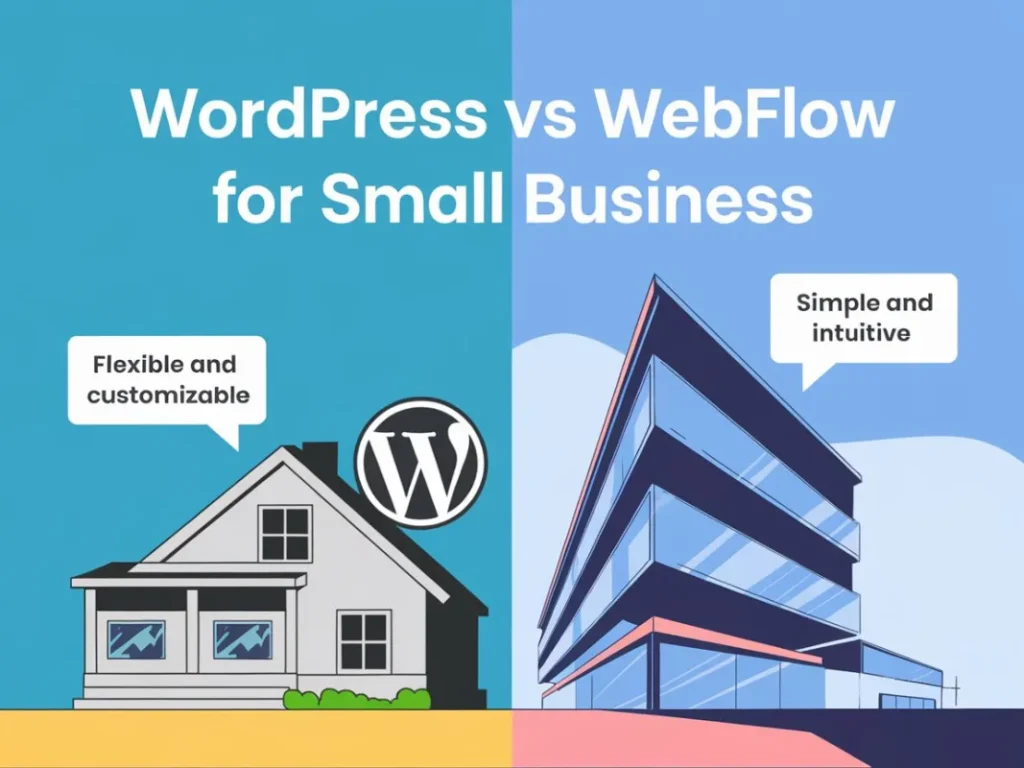
Most guides jump straight into feature comparisons. We’re going to be a little different — because the real question isn’t which platform is better. It’s which platform is better for YOUR business goals right now.
Before we dive into the technical breakdown, ask yourself three things:
- 🎯 What’s your primary goal? Traffic from SEO, conversions from paid ads, or brand impressions from social?
- 💰 What’s your real budget? (Not just setup cost — think 3 years of total cost of ownership.)
- 🔧 Who’s managing it? You? A developer? A web development agency?
Once you’re clear on those, the comparison below will basically answer itself. But if you’re still unsure — read every word. It’ll be worth it.
Also Read: Squarespace vs WordPress: Which Website Platform Wins for Sterling, VA Businesses in 2026?
WordPress vs Webflow for Small Business: The Head-to-Head Breakdown
| Feature | WordPress | Webflow | Winner |
|---|---|---|---|
| 💸 Cost (3-year total) | $200–$600/yr (hosting + plugins) | $300–$900/yr (plans) | WordPress |
| 🎨 Design Freedom | Theme-dependent | Pixel-perfect, visual-first | Webflow |
| 🔍 SEO Capabilities | Excellent (Yoast, RankMath) | Strong built-in SEO | Tie |
| ⚡ Page Speed | Depends on plugins/hosting | Fast by default (CDN) | Webflow |
| 🔌 Plugin Ecosystem | 60,000+ plugins | Limited 3rd-party integrations | WordPress |
| 🛡 Security & Maintenance | DIY (updates needed) | Managed, hands-free | Webflow |
| 📝 Content Management | Best-in-class CMS | Decent CMS (improving) | WordPress |
| 📱 E-commerce | WooCommerce (powerful) | Built-in (limited scale) | WordPress |
| 🧑💻 Learning Curve | Moderate | Moderate–Steep | WordPress |
| 🤝 Support | Community forums only | Dedicated support team | Webflow |
WordPress for Small Business: Where It Shines (and Where It Stumbles)
WordPress powers over 43% of all websites on the internet — and there’s a very good reason for that. For small businesses that want to grow through content marketing, SEO strategy, and blog-driven traffic, WordPress is basically the GOAT.
WordPress Strengths for Small Businesses
Pros
- Open-source = zero licensing cost
- WooCommerce for powerful e-commerce
- 60,000+ plugins for any feature you need
- Massive community (free tutorials, support)
- Superior blogging & content management
- Fully scalable from side hustle to enterprise
- Works with any hosting provider (budget-friendly)
Cons
- Security patches needed regularly
- Plugin conflicts can break your site
- Speed depends heavily on hosting quality
- Design customization requires page builders
- Maintenance is your responsibility
WordPress Verdict for Small Business
If your growth strategy relies on digital marketing, content SEO, or e-commerce — WordPress is your best bet. It’s the platform that scales with your ambition without scaling your budget into chaos.
Webflow for Small Business: Beautiful, Fast, and Surprisingly Smart
Webflow is what happens when a visual design tool and a web hosting platform had a very sophisticated baby. If your brand lives and dies by aesthetics — think creative agencies, photographers, architecture firms, boutique consultancies — Webflow gives you a level of design control that no WordPress theme can touch.
Webflow Strengths for Small Businesses
Pros
- Pixel-perfect design without a developer
- Built-in hosting with global CDN
- Zero plugin maintenance or security patches
- Stunning animations and interactions
- Fast page loads out of the box
- Dedicated customer support
Cons
- Higher subscription cost
- Steeper learning curve
- Limited plugin/integration ecosystem
- E-commerce not suited for large catalogs
- CMS flexibility less than WordPress
Webflow Verdict for Small Business
If your brand’s visual identity is everything and you hate plugin headaches, Webflow is worth every penny. Pair it with a solid social media marketing strategy and your site becomes a scroll-stopping conversion machine.
SEO Strategy: WordPress vs Webflow — Which Platform Ranks Faster?
Here’s where things get really interesting because both platforms can absolutely rank on Google. But they take different roads to get there.
WordPress + Yoast SEO or RankMath gives you granular control over every meta tag, schema markup, XML sitemap, and redirect. For businesses investing heavily in SEO strategy, this level of control is gold. You can optimize 500 blog posts with surgical precision.
Webflow’s built-in SEO is clean, reliable, and covers all the fundamentals without needing extra plugins. Its lightning-fast load times — powered by a global CDN — give it a genuine Core Web Vitals edge, and Google loves fast websites. But if you’re planning a content-heavy SEO campaign, WordPress gives you more firepower.
‘The best SEO platform is the one where your team actually publishes content consistently — not the one with the most features.’
Local SEO tip for small businesses: Whether you use WordPress or Webflow, make sure you’re embedding Google Maps, using location-specific landing pages, and claiming your Google Business Profile. These tactics work on both platforms and directly impact how you rank for local searches — especially if your customers are searching for services in your city.
Cost Comparison: WordPress vs Webflow for Small Business in 2025
Let’s talk real numbers — because ‘WordPress is free’ is technically true and practically misleading.
WordPress Real-World Cost Breakdown
- 🖥 Hosting: $5–$30/month (Bluehost, Kinsta, SiteGround)
- 🎨 Premium Theme: $50–$200 (one-time)
- 🔌 Premium Plugins: $100–$500/year (SEO, security, forms, etc.)
- 🛡 SSL + Backups: Often included in hosting
- 👨💻 Developer Help (if needed): Variable
- Estimated Annual Cost: $300–$900
Webflow Real-World Cost Breakdown
- 🌐 Basic Plan: $14/month ($168/year)
- 🛒 CMS Plan: $23/month ($276/year)
- 💼 Business Plan: $39/month ($468/year)
- 🏪 E-commerce: from $29/month
- 🎨 Templates: $49–$149 (one-time)
- Estimated Annual Cost: $300–$750 (no hidden plugin costs)
The gap is narrower than most people think. WordPress can be cheaper — but only if you manage it yourself and avoid premium plugin bloat. Our web development team consistently finds that small business owners underestimate WordPress maintenance costs over time.
Which Platform Is Right for YOUR Small Business? (Decision Framework)
Choose WordPress if you…
- 📝 Run a blog or content-driven website
- 🛒 Need a full e-commerce store (WooCommerce)
- 💸 Have a limited budget and want flexibility
- 🔌 Rely on specific plugins (booking, membership, LMS)
- 📈 Plan to scale content volume aggressively
- 🤝 Work with a WordPress-savvy web development partner
Choose Webflow if you…
- 🎨 Need a high-end, visually distinctive brand presence
- ✨ Want smooth animations and interactions
- 🧘 Prefer ‘set it and forget it’ hosting with no maintenance
- 🏢 Run a creative agency, design studio, or premium service brand
- 📱 Value mobile-first design out of the box
- 📣 Pair your site with an aggressive social media marketing strategy
WordPress vs Webflow: What About App Development & Advanced Features?
If your small business is growing toward custom app development think customer portals, booking platforms, SaaS tools neither WordPress nor Webflow is your final destination. Both are excellent for marketing websites and CMSs, but custom web applications require dedicated development with frameworks like React, Node.js, or Next.js.
That’s exactly where a full-service digital marketing and development agency like The Node Blox comes in. We don’t just build websites we build growth systems that connect your website, SEO, paid ads, and social media into one unified strategy.
Frequently Asked Questions: WordPress vs Webflow for Small Business
Should I switch from WordPress to Webflow for my small business?
Only switch if design quality is your top priority and you’re frustrated with WordPress maintenance. If you have existing SEO rankings, a content library, or e-commerce on WordPress — switching has a real cost. Consult a web development expert before migrating to ensure you don’t lose rankings or revenue.
Is Webflow better than WordPress for SEO in 2025?
Both platforms are excellent for SEO. Webflow has a speed advantage through its CDN and clean code output. WordPress has a flexibility advantage with plugins like Yoast and RankMath for advanced on-page optimization. For small businesses focused on local SEO and content marketing, WordPress typically offers more control. The best SEO results come from great content and a solid SEO strategy — not just the platform.
Is Webflow more expensive than WordPress for small businesses?
Webflow’s subscription is typically higher upfront, but WordPress’s real cost includes hosting, premium themes, and plugins that add up fast. Over three years, both platforms end up in a similar price range for most small businesses. The difference is where you spend: Webflow charges you directly, while WordPress costs are distributed across multiple vendors.
Can a small business owner manage WordPress or Webflow without a developer?
Yes — both platforms are designed with non-developers in mind. WordPress’s Gutenberg editor and Webflow’s visual canvas are both user-friendly. However, for custom features, performance optimization, or technical SEO implementation, working with a professional web development team saves time and prevents costly mistakes.
Which is better for local SEO — WordPress or Webflow?
WordPress has a slight edge for local SEO due to plugins like Yoast Local SEO and better integration with Google Business Profile optimization tools. However, Webflow can absolutely rank locally with proper on-page SEO, schema markup, and location-specific landing pages. Whichever platform you choose, your local SEO results ultimately depend on your content quality, backlinks, and citation consistency.
What is WordPress’s biggest competitor in 2025?
Webflow is widely considered WordPress’s biggest competitor for business websites in 2025. Other notable alternatives include Framer (for design-forward sites), Squarespace (for simplicity), and Wix (for beginners). However, for small businesses with content and SEO at the core of their digital marketing strategy, WordPress remains the dominant platform globally.
Is WordPress or Webflow better for e-commerce small businesses?
WordPress with WooCommerce is the stronger e-commerce choice for small businesses that need scalability, extensive product catalogs, or complex checkout flows. Webflow’s e-commerce is elegant and well-designed but works best for smaller catalogs (under 1,000 products). For enterprise-scale online stores, consider a custom solution from a dedicated app development partner.
Can I use WordPress and Webflow together?
Yes — some businesses use Webflow for their marketing/front-end pages and WordPress as a headless CMS for content management. It’s an advanced setup that delivers the best of both worlds, but requires professional implementation. Talk to a web development agency before attempting this approach.
Final Verdict: WordPress vs Webflow for Small Business
Here’s the honest truth: there’s no universally ‘better’ platform. There’s only the right platform for where your business is right now and where you’re trying to go.
If you’re building a content-driven, SEO-focused, or e-commerce business on a real-world budget, WordPress is your best friend. If you’re a design-led brand that needs to impress at first scroll and you’re willing to pay for the convenience of zero maintenance, Webflow is your MVP.
But here’s what both platforms have in common: they only perform as well as the digital marketing strategy behind them. A stunning Webflow site with no SEO is invisible. A perfectly optimized WordPress site with bad UX loses conversions. The platform is the vehicle your strategy is the driver.
🚀 Not Sure Which Platform Is Right For You?
The Node Blox specializes in web development, SEO strategy, digital marketing, and app development for small businesses ready to grow. Let’s audit your current setup and build a roadmap that actually converts. Get Your Free Website Strategy Call →
No pressure. No jargon. Just a real conversation about your business goals. See us on LinkedIn & Instagram.